How to Protect Your Domain Name in Tanzania
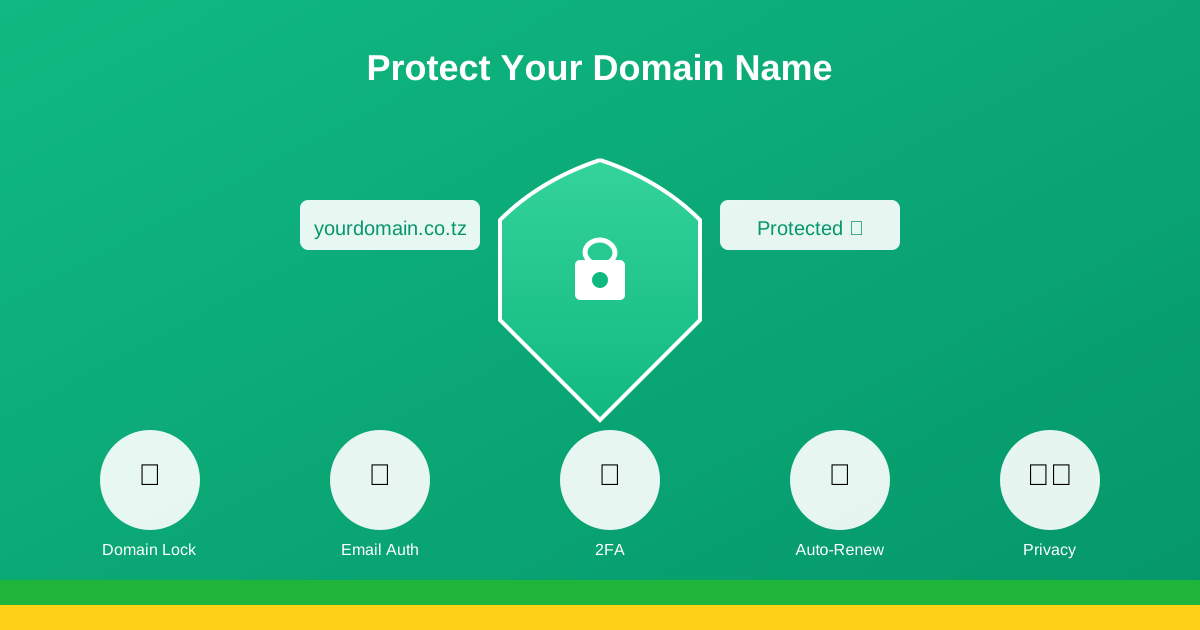
Your domain name is one of your most valuable digital assets. Losing it can devastate your business. This guide covers essential steps to protect your domain from theft, expiration, and other threats.
Why Domain Security Matters
Your domain name is the foundation of your online presence. If someone gains unauthorized access to your domain, they can:
- Redirect your website to malicious content
- Intercept your emails
- Hold your domain for ransom
- Damage your reputation and customer trust
- Completely shut down your online business
Essential Domain Security Practices
1. Use a Strong, Unique Password
Your domain registrar account should have a password that is:
- At least 12 characters long
- A mix of uppercase, lowercase, numbers, and symbols
- Unique (not used for any other accounts)
- Changed every 3-6 months
Consider using a password manager to generate and store complex passwords securely.
2. Enable Two-Factor Authentication (2FA)
Two-factor authentication adds an extra layer of security by requiring a second verification method (like a code sent to your phone) in addition to your password. At Primezone Solutions, we strongly recommend and support 2FA for all accounts.
3. Keep Contact Information Current
Ensure your registrar account has:
- Up-to-date email address (one you check regularly)
- Current phone number
- Accurate business or personal information
If there's suspicious activity, your registrar needs to reach you quickly. Outdated contact information can also make account recovery difficult.
4. Enable Registrar Lock
The registrar lock (also called domain lock) prevents unauthorized transfers of your domain. When enabled, your domain cannot be transferred to another registrar without first unlocking it – a process that requires access to your account and confirmation emails.
Keep your domain locked at all times, except when you're intentionally transferring it.
Domain Privacy Protection
When you register a domain, your contact information (name, address, phone, email) is stored in the public WHOIS database. This makes you vulnerable to:
- Spam emails and phone calls
- Identity theft
- Social engineering attacks
- Unwanted solicitation
How Domain Privacy Works
Domain privacy protection replaces your personal information in the WHOIS database with proxy information from the privacy service. Your information remains private while you retain full ownership and control of your domain.
Privacy Protection at Primezone Solutions
We offer affordable domain privacy protection for all domain types. Contact us to add privacy protection to your existing domains or include it with new registrations.
Preventing Domain Expiration
Domain expiration is one of the most common ways businesses lose their domains. Here's how to prevent it:
1. Enable Auto-Renewal
The simplest way to prevent expiration is to enable auto-renewal. This ensures your domain is automatically renewed before it expires, as long as your payment method is valid.
2. Register for Multiple Years
Consider registering your domain for 2-5 years at a time. This:
- Reduces the risk of forgetting annual renewals
- Often comes with discounted pricing
- May provide a small SEO benefit (shows longevity)
3. Set Multiple Reminders
Even with auto-renewal, set calendar reminders for your domain expiration dates. This gives you time to update payment methods or resolve any issues before expiration.
4. Understand the Grace Period
If your domain does expire, most registrars offer a grace period (typically 30 days) where you can renew at the normal rate. After that, domains enter a redemption period with significantly higher fees.
| Period | Duration | Status |
|---|---|---|
| Active | 1-5 years | Domain works normally |
| Grace Period | ~30 days | Can renew at normal price |
| Redemption | ~30 days | High redemption fees apply |
| Pending Delete | ~5 days | Cannot be recovered |
Protecting Against Domain Hijacking
Domain hijacking occurs when someone gains unauthorized control of your domain. Prevention tips:
Watch for Phishing Attempts
Scammers may send emails pretending to be your registrar, asking you to "verify" your domain or log in to a fake website. Always:
- Check the sender's email address carefully
- Never click links in suspicious emails
- Type your registrar's URL directly into your browser
- Look for HTTPS and correct spelling in URLs
Monitor Your Domain
Regularly check your domain's WHOIS information to ensure it hasn't been changed without your knowledge. Set up monitoring alerts if your registrar offers them.
Use a Reputable Registrar
Choose a registrar with strong security practices and good customer support. At Primezone Solutions, we prioritize security and are always available to help if you suspect any issues with your domain.
Additional Protection Strategies
Register Variations of Your Domain
Consider registering common misspellings and alternative extensions (.com, .co.tz, .net) to prevent cybersquatting and protect your brand.
Keep Documentation
Maintain records of:
- Domain registration confirmations
- Payment receipts
- Communication with your registrar
- Login credentials (stored securely)
Use a Business Email for Registration
Avoid using personal email addresses that might change. Use a business email that will remain consistent even if staff changes.
What to Do If Your Domain is Compromised
If you suspect unauthorized access to your domain:
- Change your password immediately
- Contact your registrar's support – We have 24/7 support for emergencies
- Enable 2FA if not already active
- Check domain settings for unauthorized changes
- Document everything for potential legal action
Conclusion
Protecting your domain requires vigilance and proactive security measures. By following these best practices – strong passwords, two-factor authentication, privacy protection, and auto-renewal – you can significantly reduce the risk of losing your valuable domain name.
Need help securing your domain? Contact us for personalized advice on domain protection strategies.
Secure Your Domain Today
Add privacy protection and security features to your domain.
Manage Your DomainPrimezone Solutions
Your Domain Security Partner