How to Transfer Domain to Primezone Solutions (2026 Guide)
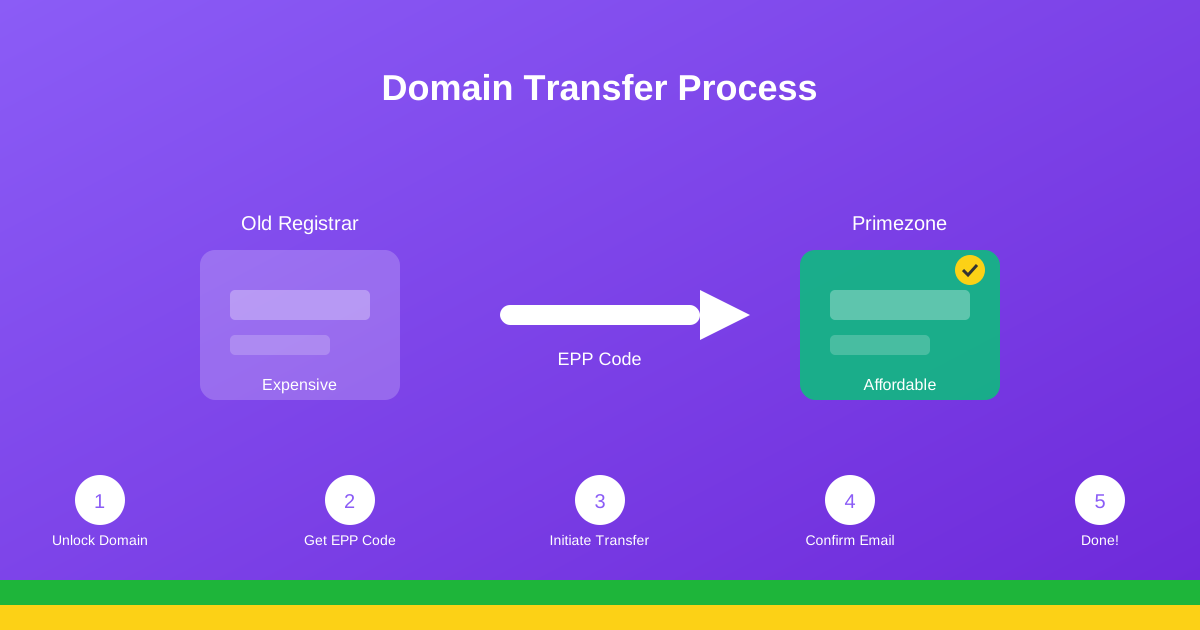
Thinking of moving your domain to a better provider? This guide walks you through transferring your domain to Primezone Solutions – the process is easier than you might think!
Why Transfer Your Domain to Primezone Solutions?
There are many reasons to transfer your domain:
- Better pricing: Competitive renewal rates with no hidden fees
- Local support: Tanzanian-based support team that understands your needs
- Easy management: User-friendly control panel
- Free services: DNS management, domain forwarding, and email forwarding
- Bundled savings: Combine with hosting for additional discounts
- Local payment: Pay with M-Pesa, bank transfer, or mobile money
Before You Start: Important Requirements
Before initiating a transfer, ensure you meet these requirements:
1. Domain Age
Your domain must be at least 60 days old since initial registration or last transfer. This is an ICANN requirement that all registrars must follow.
2. Domain Status
The domain must not be locked or have any of these statuses:
- Client Transfer Prohibited
- Server Transfer Prohibited
- Pending Delete
- Pending Transfer
3. Not Expired
Your domain must be active and not expired. Transferring an expired domain may result in additional fees or complications.
4. Privacy Protection
If you have privacy protection enabled, you may need to temporarily disable it so we can verify ownership during the transfer process.
Step-by-Step Domain Transfer Process
Step 1: Prepare Your Domain at Current Registrar
Log in to your current domain registrar and complete these actions:
- Unlock the domain: Find the "Registrar Lock" or "Domain Lock" setting and disable it
- Get the EPP code: Request the authorization code (also called EPP code or transfer key)
- Update contact info: Ensure your email address is current and accessible
- Disable privacy protection: Temporarily turn off WHOIS privacy if enabled
Step 2: Initiate Transfer at Primezone Solutions
Once your domain is prepared:
- Visit our domain transfer page
- Enter your domain name
- Provide the EPP authorization code
- Complete the checkout process
- Confirm the transfer via email
Step 3: Confirm Transfer Authorization
After initiating the transfer:
- You'll receive an email at the administrative contact address
- Click the confirmation link in the email
- Approve the transfer request
Step 4: Wait for Transfer Completion
Domain transfers typically complete within 5-7 days. During this time:
- Your website will remain online without interruption
- Email services continue working
- No action is required from you
- You'll receive status updates via email
Understanding the EPP Code
The EPP (Extensible Provisioning Protocol) code is like a password for your domain. It's a unique authorization key that proves you have the right to transfer the domain.
How to Get Your EPP Code
Most registrars provide the EPP code through their control panel:
- Log in to your current registrar's account
- Find "Domain Management" or "My Domains"
- Select the domain you want to transfer
- Look for "Transfer Domain" or "EPP Code" option
- Request or view the code
Some registrars email the code to the administrative contact. If you can't find it, contact your current registrar's support team.
Managing DNS During Transfer
Your DNS settings determine where your website and email point to. Here's what you need to know:
Option 1: Keep Current DNS (Recommended)
Your nameservers will remain unchanged during transfer, so your website and email continue working without interruption. After transfer completes, you can update nameservers if desired.
Option 2: Update Nameservers
If you're also moving hosting to Primezone Solutions, you can update nameservers after the transfer completes. We recommend:
- Wait for transfer to complete
- Update nameservers to ours (provided after transfer)
- Allow 24-48 hours for DNS propagation
Transfer Pricing
| Domain Type | Transfer Fee | Includes |
|---|---|---|
| .co.tz | 25,000 TZS | 1 year renewal + free transfer |
| .com | 35,000 TZS | 1 year renewal + free transfer |
| .net / .org | 38,000 TZS | 1 year renewal + free transfer |
Note: Transfer fees include a one-year domain renewal, so you're actually getting an additional year added to your current expiration date.
Common Transfer Issues and Solutions
Issue: "Domain is Locked"
Solution: Log into your current registrar and disable the registrar lock or domain lock setting.
Issue: "EPP Code is Invalid"
Solution: Request a new EPP code from your current registrar. Codes sometimes expire or change.
Issue: "Transfer Rejected"
Solution: Contact your current registrar to find out why. Common reasons include:
- Domain is less than 60 days old
- Recent ownership change
- Pending legal dispute
Issue: Didn't Receive Confirmation Email
Solution: Check your spam/junk folder. Ensure the administrative contact email is correct and accessible. Contact us if you need the email resent.
After Transfer: Next Steps
Once your transfer completes:
- Verify domain details in your new control panel
- Review and update contact information
- Set up auto-renewal to avoid expiration
- Enable domain privacy if desired
- Update nameservers if switching hosting
- Review DNS records and make any needed changes
Conclusion
Transferring your domain to Primezone Solutions is a straightforward process that gives you better pricing, local support, and easier management. Our team is here to help if you encounter any issues during the transfer.
Ready to make the switch? Contact us and our team will guide you through the entire process.
Ready to Transfer Your Domain?
Free transfer with 1-year renewal included. Local support every step of the way.
Start Domain TransferPrimezone Solutions
Tanzania's Trusted Domain Registrar